Prepaid Subscriptions
Setting up pre-paid type of subscription products on Subbly
If you're looking for your subscription to create X number of shipments based on only one charge, than you're in the right place. This article explains setting up the prepaid products on Subbly
Video tutorial
Video footage on how prepaid product setup works with Subbly can be found below:
What are prepaid subscriptions?
Before we commence, please note that we already have a general help article on how to create a subscription product and how to use Subbly's product builder here.
Prepaid subscription is considered any subscription that creates X number of shipments/orders based on one charge for the customer.
It's also worth noting that you are perfectly able to build a prepaid type of subscription by using both Independent or Synchronized billing cycles.
Setup
Setting up a prepaid product that's billed for 12 months in advance with 12 different shipments in between (each one one month apart from the other) should look as in the image below.
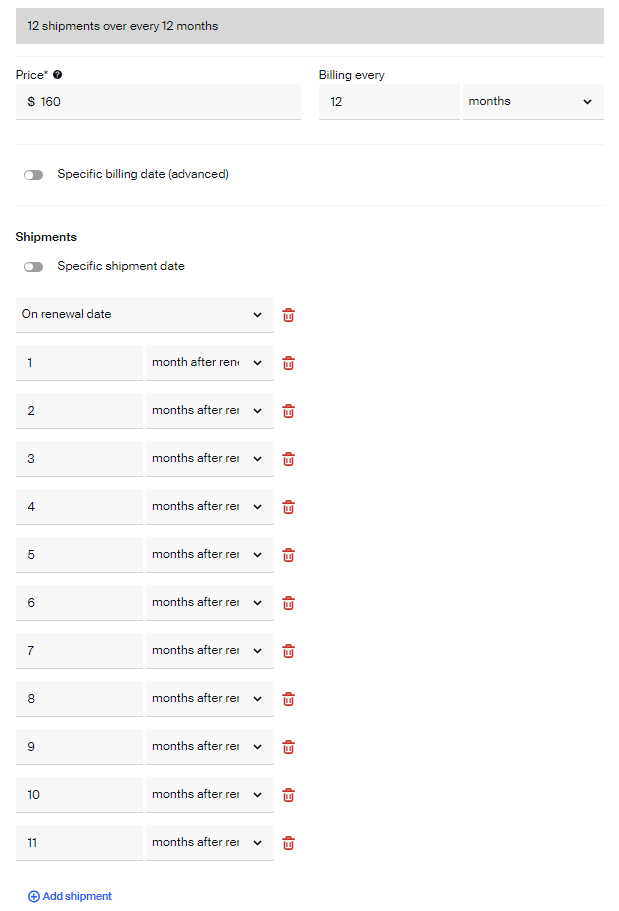
Remember that you can manipulate the billing schedule to follow either independent or synchronized billing cycle.
After setting up the billing schedule, click on the (+) ADD SHIPMENT button that will add more scheduled shipments on the top of the same billing period. Add as many shipments as you want in between the billing period.
Setting up synchronized shipping dates
In addition to being able to have the shipment dates for X days/weeks/months after the renewal, you can align shipping to your preferred cadence by enabling the specific shipping date toggle:
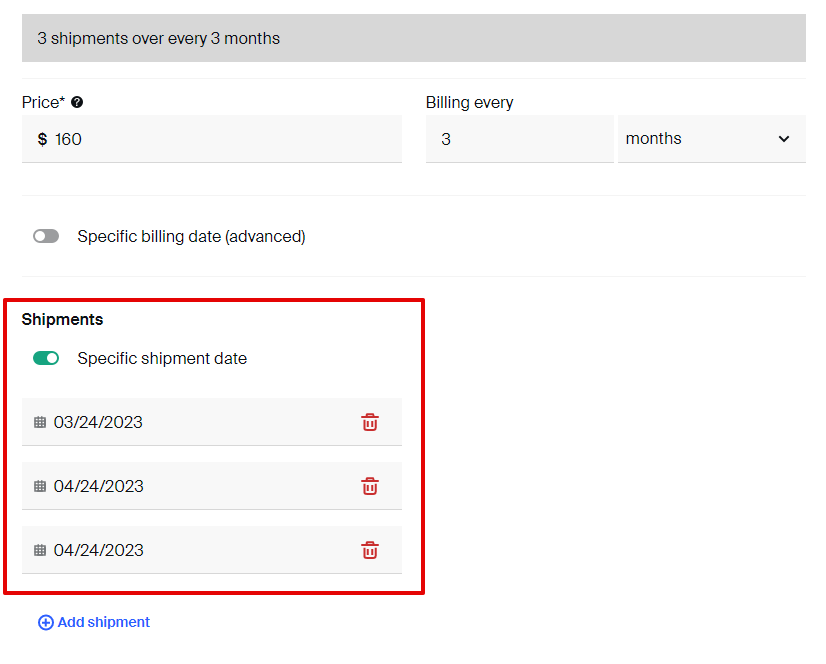
This one will allow you to create all the shipments for the cycle but having a regular schedule that doesn't depend on when the customer signed up. Their first box will always be the closest to the next shipping date.
How did we do?
Products on Synchronized Cycles
Membership Subscriptions