Cancelling Your AI Website Builder
Cancellation and reactivation process of the AI website builder

Updated
by Andrija Krstic
This article explains the process of temporarily disabling the AI Website Builder and details the expected workflow that occurs when a cancellation is initiated.
Disabling the AI Website Builder
You can disable the AI Website Builder from My Plans page of the admin, hovering over the highlighted icon and opting to disable.
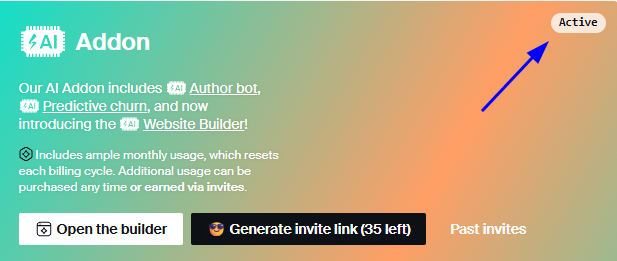
Once disabled you will:
- momentarily lose access to the builder
- lose all credits you had at that point in time (these are not subject to refunds)
Your build (if previously deployed) will not be deleted and the site won't experience any downtime in case of disabling the builder. Your entire chat/project history will also be preserved. The only thing you'll lose is access to the builder admin and thus you won't be able to:
- make changes to the site
- deploy changes to the site
If you'd want to regain access to the site, you'll need to activate the add-on for a month.
AI Website Builder is part of a bigger AI Add-on Bundle. Its optional nature gives you the flexibility to keep it active only when needed, allowing you to manage your usage efficiently.
How did we do?
Contacting Support